
Stylized Water Shaders
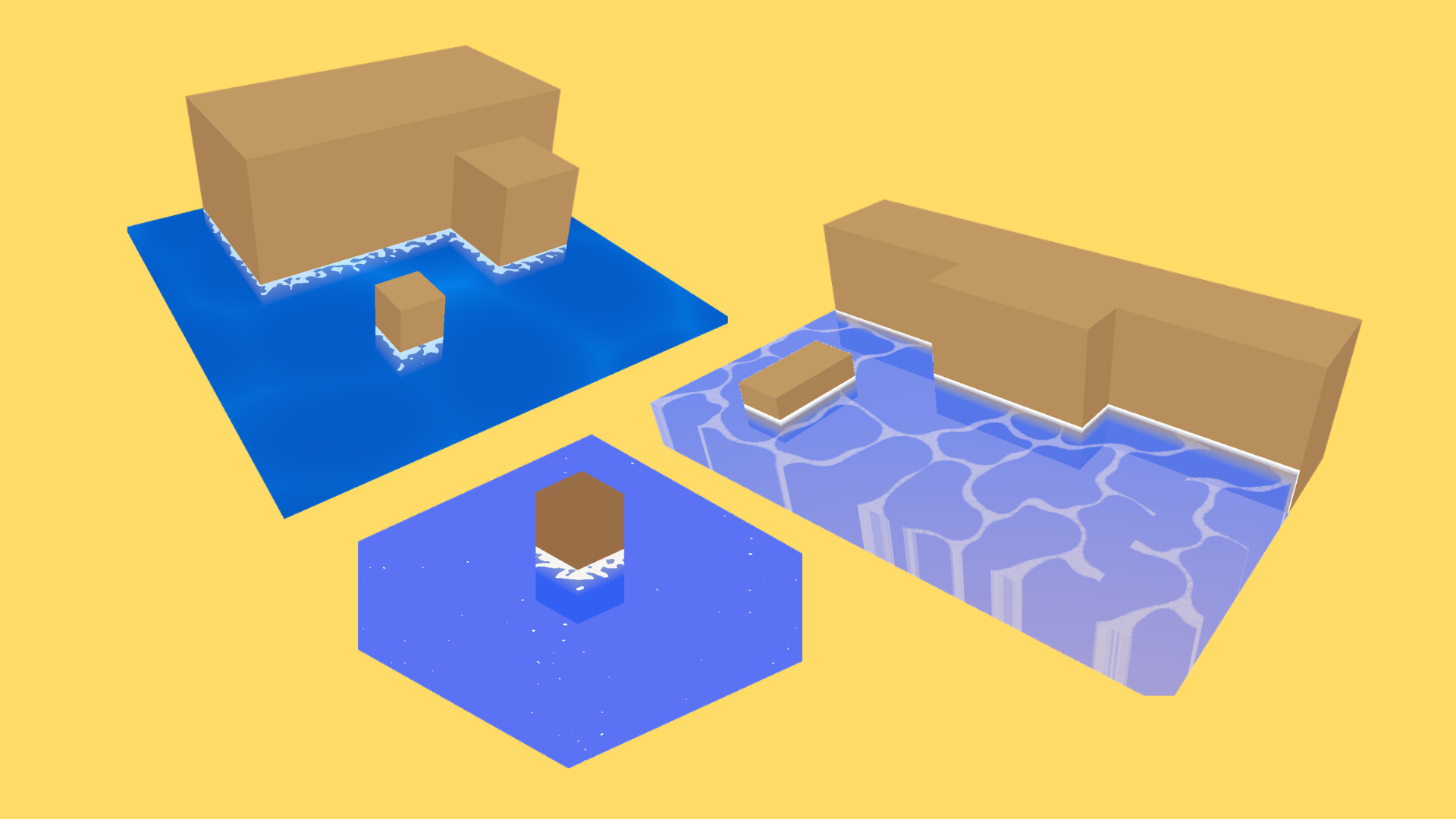
The Stylized Water Shader Pack provides matching handwritten shaders for Unity's Built-in Render Pipeline and Universal Render Pipeline (URP), with configurable ripples, intersection foam, vertex waves, colors, opacity, and edge highlights.
Requirements
- Tested with Unity 2022.3 LTS and Unity 6.0 LTS.
- Supports the Built-in Render Pipeline and URP. HDRP is not supported.
- URP usage requires the Universal Render Pipeline package and an active Universal Render Pipeline Asset. The package does not automatically convert a Built-in project to URP.
- Vertex waves require a subdivided mesh.
- Intersection foam requires a camera depth texture.
Quick Start
Paths in this guide are relative to Assets/HaniJahanDesign/Shaders/StylizedWater/.
- Open the demo scene matching your render pipeline:
- Built-in:
Scenes/Shaders_StylizedWater_Demo_BuiltIn.unity - URP:
Scenes/Shaders_StylizedWater_Demo_URP.unity
- Built-in:
- Assign a preset from
Materials/BuiltIn/orMaterials/URP/to a flat, subdivided mesh. - Adjust the material in the custom material inspector.
- If you are using intersection foam, configure camera depth as described in Camera Depth Setup.
To create a material from scratch, choose the shader matching your render pipeline from the material's Shader menu:
Hani Jahan Design/StylizedWater/Built-inHani Jahan Design/StylizedWater/URP
Controls
- Water Surface: Base and shallow height colors, opacity, and edge highlight.
- Surface Ripples: Procedural Voronoi or a custom texture using its red channel, with color, scale, speed, strength, and sharpness controls.
- Intersection Foam: A depth-based primary gradient with optional procedural bands or a scrolling texture using its red channel.
- Vertex Waves: Height, scale, and speed. Waves move existing vertices and do not subdivide the mesh.
Negative speed values reverse the animation direction.
Camera Depth Setup
Intersection foam requires camera depth. The other water features do not.
Universal Render Pipeline
Enable Depth Texture on the active Universal Render Pipeline Asset, or override the water camera's Rendering > Depth Texture setting to On. When the camera uses the pipeline setting, the active pipeline asset must have Depth Texture enabled.
Built-in Render Pipeline
The camera that renders the water may request a depth texture. If needed, add the following component to each applicable camera, or make the equivalent request in existing camera code:
using UnityEngine;

[RequireComponent(typeof(Camera))]
public sealed class WaterDepthTexture : MonoBehaviour
{
    private void OnEnable()
    {
        GetComponent<Camera>().depthTextureMode |= DepthTextureMode.Depth;
    }
}
Using |= preserves depth modes requested by other effects. The shader only reads camera depth while Intersection Foam is enabled.
Troubleshooting
- Pink material: Use the shader matching the active render pipeline. For URP, configure the URP package and pipeline asset, then check shader compile errors in the Console.
- No foam: Enable Intersection Foam, configure depth for the Game camera—not only the Scene view camera—and confirm that intersecting geometry is inside that camera's culling mask and writes depth. Transparent objects commonly do not write depth.
- No waves: Enable Vertex Waves, increase Height, and use a sufficiently subdivided mesh.
- Incorrect texture patterns: Custom ripple and foam textures use the red channel. Check their import and wrap settings, then adjust scale, speed, and strength.
Known Limitations
- Vertex waves displace existing mesh vertices; they do not add geometry. Low-density meshes can produce angular or barely visible waves.
- Intersection foam depends on the camera depth texture. Transparent objects and other geometry that does not write to depth cannot produce reliable foam intersections.
- The water is transparent, so overlapping transparent surfaces can exhibit Unity's usual transparency sorting artifacts.
Support
Publisher: Hani Jahan Design
Use the support contact on this asset's Unity Asset Store publisher page, or join the HJD Discord for feedback and community help.
Changelog
1.0.0
- Initial Unity Asset Store release.
- Added matching handwritten shaders for the Built-in Render Pipeline and Universal Render Pipeline (URP).
- Added height-based color, Fresnel edge highlights, procedural or textured surface ripples, depth-based intersection foam, and vertex waves.
- Added five ready-to-use material presets and one demo scene for each supported render pipeline.
- Added a shared HLSL implementation, a water pattern texture, and a custom material inspector for both shaders.
- Added setup instructions, compatibility notes, troubleshooting guidance, and a package welcome window.
- Tested with Unity 2022.3 LTS and Unity 6.0 LTS; HDRP is not included.